Understanding the Concept of Selfie Mosaic
What Is a Selfie Mosaic?
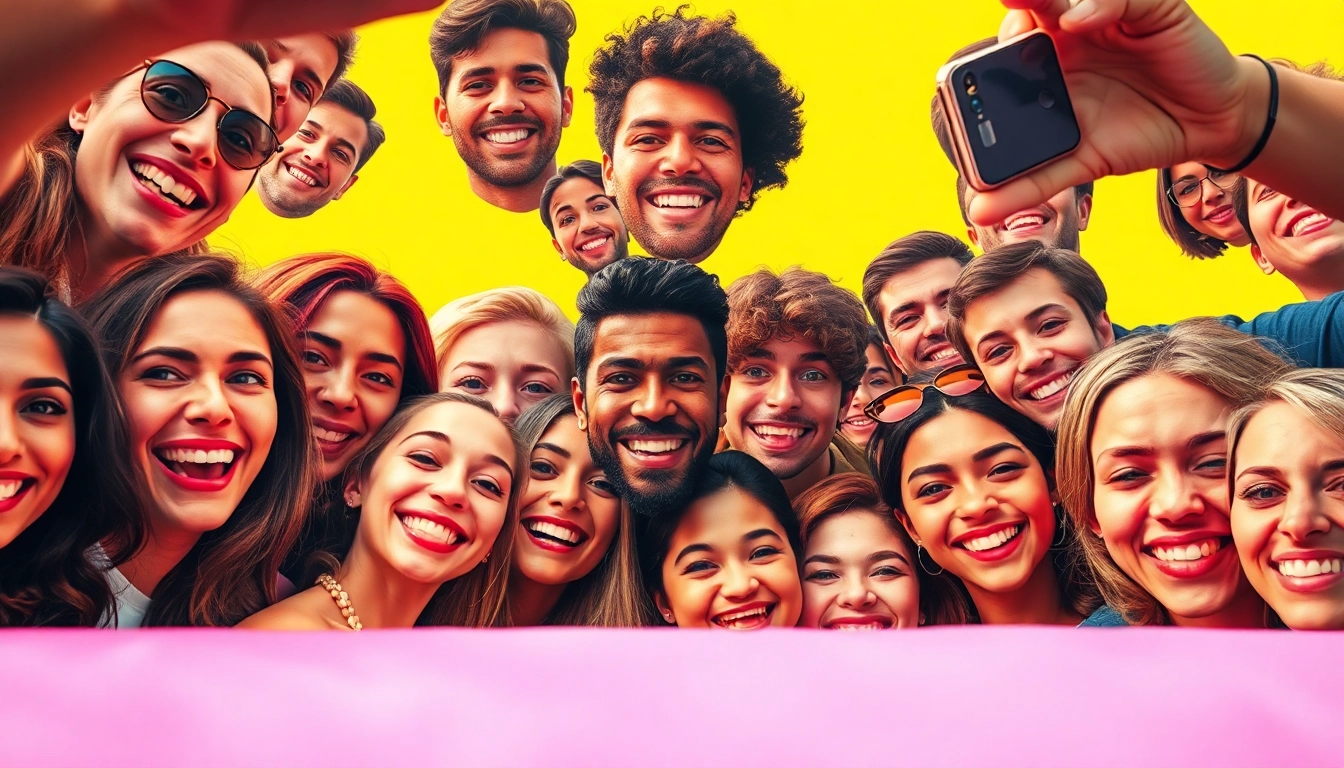
A selfie mosaic is an artistic compilation of multiple selfie images that are arranged in a manner to create a larger picture. This larger image can range from a portrait or a landscape to an abstract design. The concept utilizes the beauty of individual selfies, which represent personal moments, to form a collective art piece that evokes memories and emotions. Each selfie contributes to the final image, making the overall artwork not only visually appealing but also deeply personal.
Benefits of Creating Selfie Mosaics
Creating a selfie mosaic offers numerous benefits:
- Personal Connection: Each individual selfie tells a story, making the mosaic a unique representation of cherished experiences.
- Creative Expression: Selfie mosaics allow individuals to explore their creativity, transforming ordinary photos into extraordinary art.
- Engagement: Sharing a selfie mosaic on social media can engage friends and family, allowing them to see a visual story of shared moments.
- Memory Preservation: This art form serves as a digital scrapbook, preserving memories in a creative and visually striking way.
- Inspiration: The act of creating a selfie mosaic can inspire others to document their lives creatively, fostering a culture of self-expression.
Different Styles of Selfie Mosaics
There are various styles of selfie mosaics that artists can explore, each with its own distinct vibe:
- Classic Grids: A uniform grid layout where each photo is equally sized, creating a structured and clean look.
- Abstract Forms: Photos arranged in a non-linear fashion, creating an abstract design that may not represent a clear image.
- Theme-Based Mosaics: Mosaics that are created around a specific theme, such as vacations, family events, or milestones.
- Color Gradient: Arranging selfies to create a visual gradient in colors, offering a breathtaking aesthetic.
- Textured Mosaics: Incorporating various textures or overlays within the selfies to create depth and dimension in the final piece.
Techniques for Capturing Perfect Selfies
Camera Settings for Optimal Quality
Utilizing the right camera settings is crucial for capturing the best selfies. Here are essential settings to consider:
- Resolution: Always set your camera to the highest resolution. This ensures that each selfie maintains quality even when scaled.
- Focus: Utilize the autofocus feature, or manually set the focus to ensure the subject (you) is crisp and clear.
- Stabilization: When possible, use stabilization settings to minimize blur, especially in lower light conditions.
- White Balance: Adjust the white balance to ensure colors are accurate and true to life, avoiding unnatural hues.
Lighting Tips for Stunning Selfies
Lighting plays a pivotal role in photography. To get the perfect lighting for your selfies:
- Natural Light: Whenever possible, use natural light from windows. A soft, diffused light will enhance your features.
- Golden Hour: The hour after sunrise and before sunset provides soft lighting that flatters most skin tones.
- Artificial Light: If using artificial light, opt for soft, diffused lights to avoid harsh shadows.
- Reflectors: Using a reflector can bounce light back onto your face, filling in shadows and creating an even tone.
Posing and Composition Strategies
To elevate your selfies, it’s essential to consider posing and composition:
- Angles: Experiment with different angles to find your most flattering sides. A slight tilt of the head can dramatically change the impact.
- Framing: Use the rule of thirds; placing your eyes along the top third line can create a more engaging selfie.
- Body Language: Relax your posture and project confidence. Smile genuinely and convey energy through your expressions.
- Background: Ensure that the background is clean and complements the selfie without distracting from the main subject.
Tools and Software for Making a Selfie Mosaic
Popular Apps for Creating Selfie Mosaics
A variety of tools and apps are available to help you craft a beautiful selfie mosaic:
- Photo Mosaic Maker: An easy-to-use app that allows users to upload images and create intricate mosaic designs.
- Flickr: While primarily a photo sharing platform, it offers tools to create mosaic images from uploaded selfies.
- Mosaic Maker: This app offers flexibility with design and layout, making it suitable for beginners and professionals alike.
- Adobe Photoshop: Perfect for those with editing skills, allowing for high customization in mosaic creation.
Editing Techniques to Enhance Your Mosaic
Post-editing is essential to transform your mosaic into a professional-looking artwork:
- Color Correction: Adjust the brightness, contrast, and saturation to make your selfies more vibrant and cohesive.
- Filters: Applying uniform filters or presets can create a consistent look across all images.
- Crop and Align: Ensure that all images are aligned properly and cropped to maintain a uniform aspect ratio.
- Layering: Use layers in editing software like Photoshop to create depth and experiment with different arrangements.
Comparison of Software Options
When choosing software for creating selfies mosaics, consider these factors:
- Ease of Use: Beginner-friendly software should have a straightforward interface that doesn’t overwhelm the user.
- Customization: Look for software that allows deep customization options for more creative control.
- Export Quality: The ability to export images in high resolution is vital for printing or sharing online.
- Cost: Many apps are free with basic features, while advanced capabilities may require a purchase or subscription.
Showcasing Your Selfie Mosaic
Best Platforms for Sharing Your Work
Once your mosaic is complete, consider the best platforms for sharing:
- Instagram: Leverage the visual nature of Instagram to showcase your mosaic, using relevant hashtags to reach a broader audience.
- Facebook: Share in groups or personal timelines where friends and family can appreciate and comment on your work.
- Pinterest: Create a pin showcasing your mosaic; Pinterest is a perfect platform for visual inspiration.
- Blogging: Write a blog post detailing your process in creating your selfie mosaic; it offers an engaging narrative to accompany the visual.
Creating a Physical Representation of Your Mosaic
Bringing your selfie mosaic to life in a physical format can add a special touch:
- Print Options: Choose high-quality prints or canvas options to maintain the integrity of your artwork.
- Framing: Consider a stylish frame that complements the mosaic, adding a professional touch to your display.
- Exhibitions: Participate in local art shows or community exhibits to showcase your work in person.
- Gifts: Personalize gifts for friends or family by creating mosaics from their selfies or shared experiences.
Engaging Your Audience with Your Selfie Mosaic
Engagement is key when sharing your work, and here are some strategies:
- Behind-the-Scenes Content: Share snippets of your creative process to connect with your audience on a deeper level.
- Contests: Host contests encouraging others to create their own mosaics and share their experiences.
- Live Sessions: Consider hosting live streams where you create or discuss your mosaics, offering tips and interacting with viewers.
- Collaborations: Work with other artists or influencers to reach new audiences and create joint mosaics.
Frequently Asked Questions about Selfie Mosaics
What materials do I need to create a selfie mosaic?
You typically need a collection of selfies, a computer or mobile device, mosaic software or an app, and creativity. Optionally, printing materials if you wish to create a physical version.
How long does it take to make a selfie mosaic?
The time to create a selfie mosaic can vary significantly based on the software used, the number of selfies, and the complexity of the design—anywhere from a few hours to several days.
Can I use selfies from social media for my mosaic?
Yes, you can use selfies from social media, as long as you have the rights to the images. Just be mindful of privacy and consent when using others' photos.
Do I need special skills to create a selfie mosaic?
No specialized skills are necessary; however, familiarity with photo editing or mosaic software can enhance the quality and creativity of your work.
What size should my selfies be for the best results?
For optimal results, use high-resolution selfies. Each image should ideally be at least 1080 pixels wide for clear display, especially if displayed in a larger format.