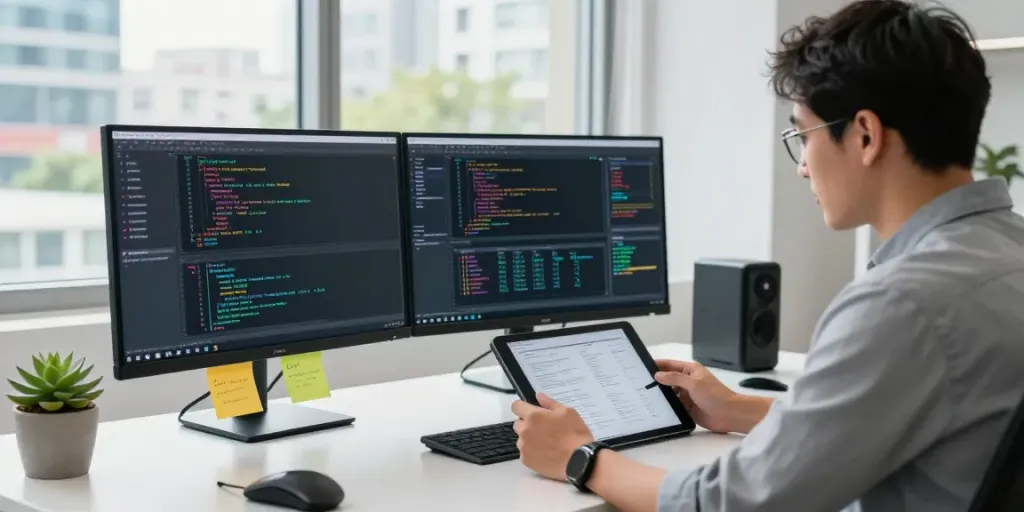
Understanding GPU Computing in AI Infrastructure
In an era where artificial intelligence (AI) continues to evolve and impact various industries, the role of GPU computing has become increasingly vital. Graphics Processing Units (GPUs) are not just for rendering graphics; they are now fundamental to processing complex calculations at speeds unattainable by traditional CPUs. This article delves into the essence of GPU computing, its critical role in AI workloads, and its profound benefits in inference tasks.
What is GPU Computing?
GPU computing leverages the parallel processing capabilities of graphics processing units. Originally designed for rendering images, GPUs can execute thousands of threads simultaneously, making them ideal for data-intensive tasks. In the context of AI, GPU computing enables faster processing of large datasets, allowing for real-time analysis and quicker model training.
The Role of GPUs in AI Workloads
AI workloads, such as deep learning and machine learning, often require the processing of vast amounts of data. GPUs excel in these scenarios due to their architecture, which is tailored for parallel processing. Each GPU can handle multiple processes simultaneously, greatly reducing the time needed for training AI models and performing inference tasks.
Benefits of Using GPUs for Inference Tasks
- Increased Speed: GPUs can execute AI inference tasks much faster than CPUs, making them ideal for applications that require real-time processing.
- Efficiency: With their ability to process many operations in parallel, GPUs can handle multiple tasks without significant downtime.
- Scalability: As AI applications grow in complexity and demand, GPU infrastructure can be scaled more easily compared to traditional CPU setups.
Getting Started with Your GPU Computing Plan
Understanding the options available for GPU computing is crucial for businesses and individuals looking to participate in the AI boom. A carefully selected GPU computing plan can optimize performance while managing costs effectively.
Choosing the Right Power Plan
Selection of an appropriate power plan is essential to ensure that your GPU operations are both effective and economical. Assess the nature of your AI workload, the expected scale, and your budget to determine which plan aligns best with your needs. Start with basic plans that allow flexibility, and upgrade as your requirements grow.
Activating and Managing Your GPU Resources
Once a GPU computing plan is selected, activation is usually straightforward. Most platforms offer user-friendly interfaces to manage resources. It’s important to regularly monitor your usage stats, as this data can inform future decisions regarding scaling and efficiency improvements.
Understanding Your Contribution and Rewards
Every power plan generally has associated contribution metrics that determine how rewards are calculated based on usage. By maintaining a clear understanding of these metrics, participants can optimize their engagement with the GPU infrastructure, leading to higher rewards and incentives.
Common Challenges in GPU Computing
While GPU computing offers many benefits, there are challenges that users may encounter when leveraging this technology for AI workloads. Awareness of these challenges is the first step in overcoming them.
Overcoming Performance Bottlenecks
Performance bottlenecks can occur when GPU resources are not allocated effectively, leading to inefficiencies. Regular analysis of workload distribution and performance metrics is necessary to identify and mitigate such issues.
Managing Power Efficiency in AI Operations
Power consumption is a critical factor in maintaining efficient AI operations. Striking a balance between performance and energy usage is crucial, especially for larger deployments where operational costs can escalate rapidly.
Addressing GPU Scalability Issues
As AI workloads increase, scalability can become an issue. Investing in flexible infrastructure that allows for easy scaling of GPU resources can prevent potential operational interruptions and ensure continuous service delivery.
Best Practices for Optimizing GPU Performance
To harness the full potential of GPU computing, organizations should implement several key best practices that enhance performance and reliability.
Implementing Efficient Workload Distribution
Efficient workload distribution across multiple GPUs is vital for maximizing performance. This involves strategically assigning tasks based on each GPU's strengths and limitations, thus optimizing throughput and reducing latency.
Monitoring Real-Time GPU Metrics
Continuous monitoring of GPU performance metrics is essential. Real-time data provides insights into utilization rates, helps spot potential issues early, and informs decisions regarding future resource allocation.
Case Studies of Successful GPU Implementations
Many organizations have successfully harnessed GPU computing for AI applications. For example, a leading tech firm used GPU-powered deep learning algorithms to improve their image recognition software, resulting in a substantial increase in accuracy and processing speed. Such case studies highlight the potential benefits and ROI that can be achieved through effective GPU use.
Future Trends in GPU Computing for AI Infrastructure
As we look ahead to 2026 and beyond, several trends are expected to shape the future of GPU computing within AI infrastructure.
Predictions for GPU Technology in 2026
Advancements in GPU technology are expected to lead to even greater processing capabilities, with predictions of new architectures capable of handling increasingly complex AI algorithms. Innovations in memory management and interconnect technologies will also contribute to heightened performance.
Emerging AI Applications Utilizing GPUs
New AI applications across industries will increasingly rely on GPUs. Fields such as healthcare, finance, and autonomous vehicles stand to gain tremendously as GPUs facilitate more sophisticated machine learning models and real-time analytics.
How to Stay Ahead in the Evolving AI Landscape
Organizations aiming to stay at the forefront of AI should continue exploring GPU innovations and consider partnerships with leading technology providers. Continuous education and training in GPU computing technologies will also be essential to leverage their full potential.
What is GPU computing?
GPU computing is the use of graphics processing units to handle computational tasks that require high parallelism, significantly boosting the performance of data-intensive applications.
How can I learn GPU programming?
Learning GPU programming can be approached through various online courses, workshops, and hands-on practice using platforms like NVIDIA’s CUDA, which provides the tools necessary to develop GPU-optimized applications.
Why is GPU computing faster than CPU?
The primary reason GPU computing is faster than CPU computing is due to its parallel architecture, which allows the GPU to perform multiple calculations simultaneously, whereas CPUs are designed for sequential processing.